
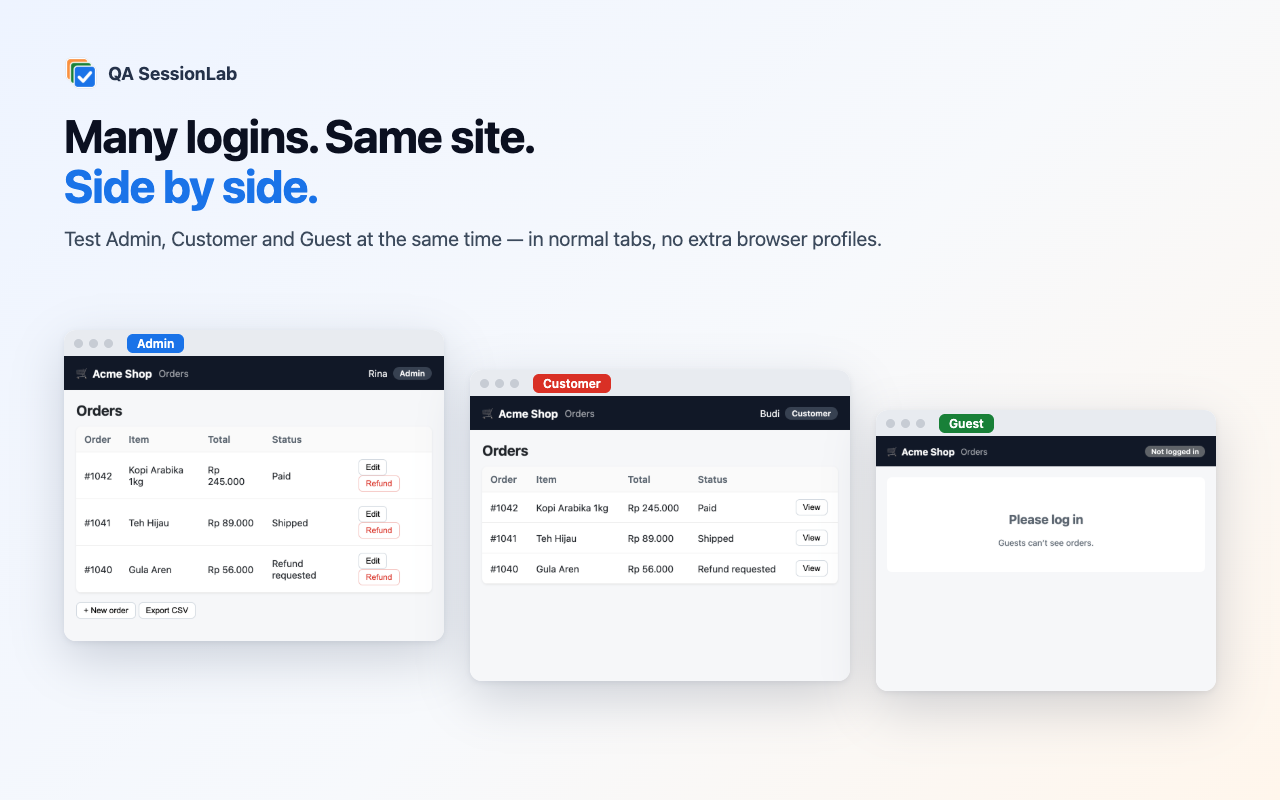
Many logins. Same site. Side by side.
QA SessionLab is a free, open-source Chrome and Edge extension that turns normal tabs into isolated sessions — so you can test as Admin, Customer and Guest on the same app at the same time, without extra browser profiles or incognito windows.
Solutions for common testing problems
How to log in to multiple accounts on the same website in Chrome
Stay logged in to several accounts of the same site at once in Chrome, side by side in normal tabs — no extra profiles or incognito. Step-by-step for testers.
How to test user roles and permissions (RBAC) side by side
Check what Admin, Staff, Customer and Guest can see and do on the same page at once. A fast, repeatable way to test role-based access control in the browser.
Reuse a manual browser login in Playwright (storageState)
Log in once by hand — even with MFA or SSO — and export that session as Playwright storageState JSON for automated tests, or import one into a tab.
Let an AI agent test your web app as multiple users (MCP)
Give Claude, Cursor or any MCP client real browser sessions per role: create users, open pages, click, type, compare roles, get bug reports.
Write complete bug reports from Chrome automatically
Record steps, console errors, failed network requests and screenshots while you reproduce a bug, then paste a ready Markdown report into Jira, GitHub or Linear.
Test one web app as different devices, locales and networks at once
Give each test session its own device viewport, language, timezone, dark mode, geolocation or 3G/offline network — and compare them side by side in Chrome.
Compare: Chrome profiles vs incognito vs separate browsers vs QA SessionLab
Honest comparison of ways to use several logins on one site for testing: Chrome profiles, incognito, separate browsers and QA SessionLab.
Everything a tester needs for multi-account testing
Isolated sessions per tab
Each session has its own cookies, localStorage, IndexedDB and cache. Real-browser cookie rules: HttpOnly, Secure, SameSite. Your normal profile is never touched.
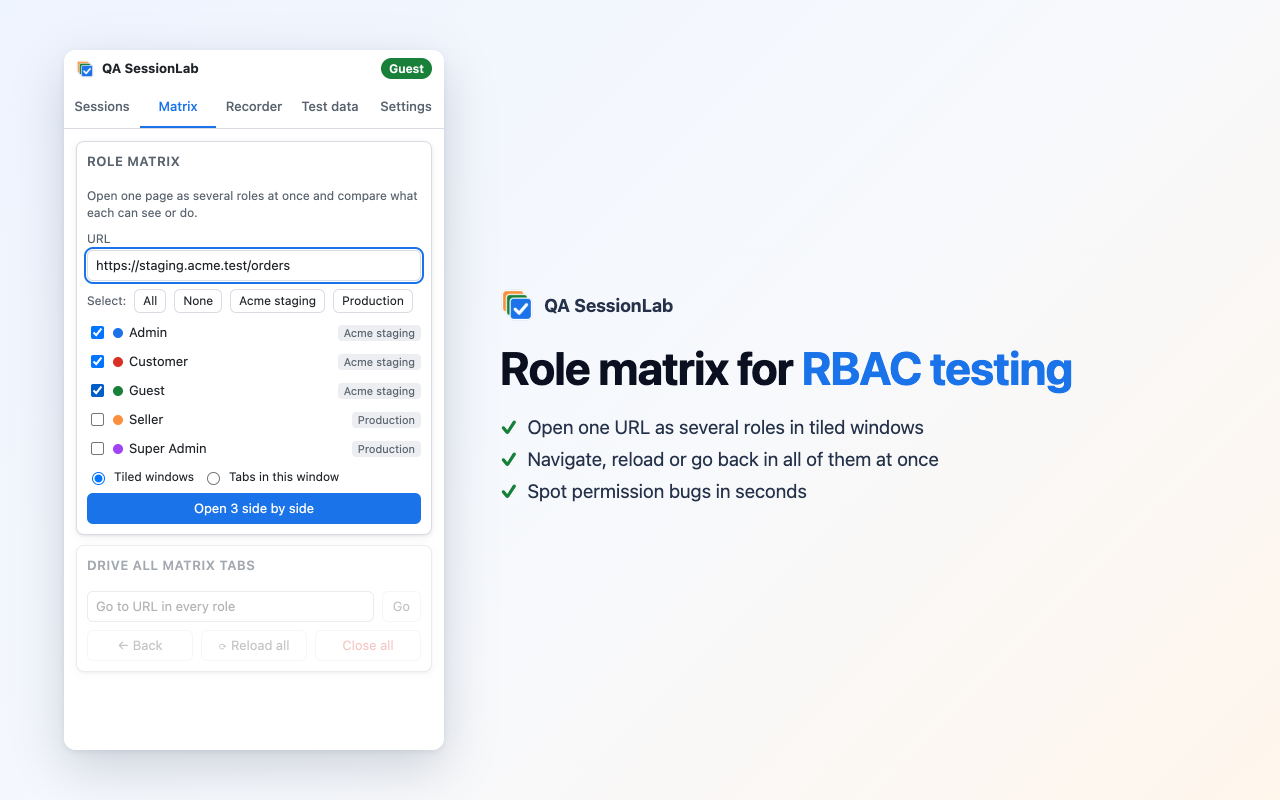
Role matrix for RBAC testing
Open one URL as several roles in tiled windows and drive them together to spot permission bugs in seconds.
Snapshots & Playwright
Save a logged-in state (cookies, localStorage, IndexedDB), restore it after destructive tests, or export it as Playwright storageState.
Environment emulation
iPhone, Android, iPad and desktop viewports, offline/3G/4G, locale, timezone, dark mode and geolocation — per session.
Bug reports that write themselves
Records steps, console errors, failed requests and screenshots, then writes a paste-ready Markdown report for Jira, GitHub or Linear.
Test data & edge cases
Unique emails, phone numbers, addresses, sandbox payment cards and 28 edge cases. Fill whole forms from the right-click menu.
AI agents can test with it
A built-in MCP server lets Claude, Cursor or any MCP client create roles, open pages, click, type, compare roles and record bugs.
Encrypted team sharing
Share a logged-in session with a teammate as an AES-256-GCM encrypted file protected by a passphrase.
Private by design
No servers, no analytics, no remote code. Available in English, Indonesian, Spanish, Portuguese, Japanese and Chinese.
How it works
Create a role
Click the icon, type “Admin”, press Open. The tab joins a coloured tab group with its own isolated session.
Log in once per role
Log in normally in each session tab. Logins stay separate — and survive reloads, links and pop-ups.
Compare and report
Open the role matrix to compare what each role sees, then press Alt+Shift+R to record a bug report.
Install
Download qa-sessionlab.zip (latest release), unzip it, open chrome://extensions, enable Developer mode and choose “Load unpacked”. Or build from source:
git clone https://github.com/adyfk/qa-sessionlab.git
cd qa-sessionlab && npm ci && npm run build   # load the dist/ folder
Let AI test your app
Register the zero-dependency MCP server and ask your AI assistant to log in as several roles and compare pages objectively:
claude mcp add qa-sessionlab -e QSL_TOKEN=<token> -- node ./tools/mcp/qsl-mcp.mjs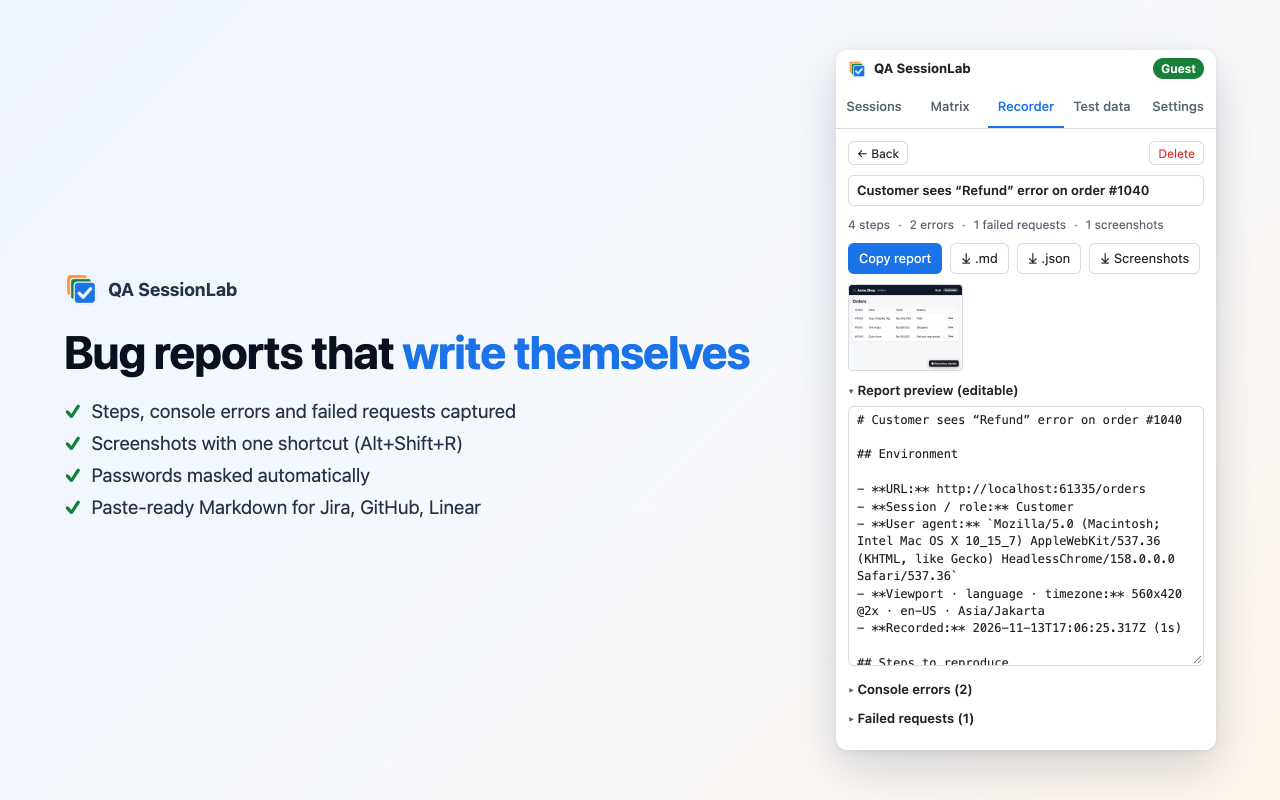
Frequently asked questions
How do I log in to multiple accounts on the same website in Chrome?
Install QA SessionLab, create one session per account (for example Admin and Customer) and open the site in each session tab. Every session keeps its own cookies and storage, so all accounts stay logged in side by side in the same window.
Is QA SessionLab free and open source?
Yes. It is MIT-licensed, has no paid tier, no account and no tracking. The source code is on GitHub.
How is this different from Chrome profiles or incognito?
Profiles need separate windows and incognito gives you only one extra session. QA SessionLab gives unlimited isolated sessions as normal tabs in one window, plus QA tools: role matrix, snapshots, emulation, bug recorder and test data.
Is it an alternative to SessionBox or MultiLogin-style extensions?
It covers the same multi-session idea, but is built specifically for software testing (RBAC checks, bug reports, Playwright export, AI control) and is free and open source.
Does it work with Playwright or Cypress?
You can export any session as Playwright storageState JSON and reuse the login in automated tests, or import a storageState to create a session.
Can AI agents like Claude use it?
Yes. The built-in MCP server exposes 27 tools so AI assistants can create roles, open pages as a role, read, click, type, compare roles and record bugs. It is local-only and token-protected.
Which browsers are supported?
Google Chrome, Microsoft Edge, Brave and other Chromium browsers with Manifest V3 (version 116 or newer). Firefox is planned.
Does it send my cookies anywhere?
No. Everything stays in your browser. There are no servers and no analytics.